Village and hometown associations
Members far from home, the village fund, shared work and funeral support — even with no signal.
A village association keeps track of people from home, a residents’ board of neighbours, a sports club of athletes. Pick your type and the modules and wording are ready to match.
Each page covers the everyday headaches, an example flow and the modules that come switched on.
Members far from home, the village fund, shared work and funeral support — even with no signal.
Service charges, shared costs, the annual budget and owners’ meeting decisions.
Food and vet needs, feeding rotas, donations and their receipts.
Season fees, training and match schedules, kit costs, athletes and parents in the loop.
General assemblies, the resolution book, the member register and the activity report.
From need to task to outcome — organised, even without a formal association.
The community set-up wizard asks for your type and prepares the rest to match.
Village association, residential building, animal welfare, sports club, association or foundation, or volunteer group.
Village associations start with the family tree, volunteer groups with aid requests and tasks. The core modules are there for every type.
The app addresses your members the way you do: fellow villagers, neighbours, athletes, volunteers or members.
Admins switch modules on or off in settings. A module’s data isn’t deleted when it’s switched off.
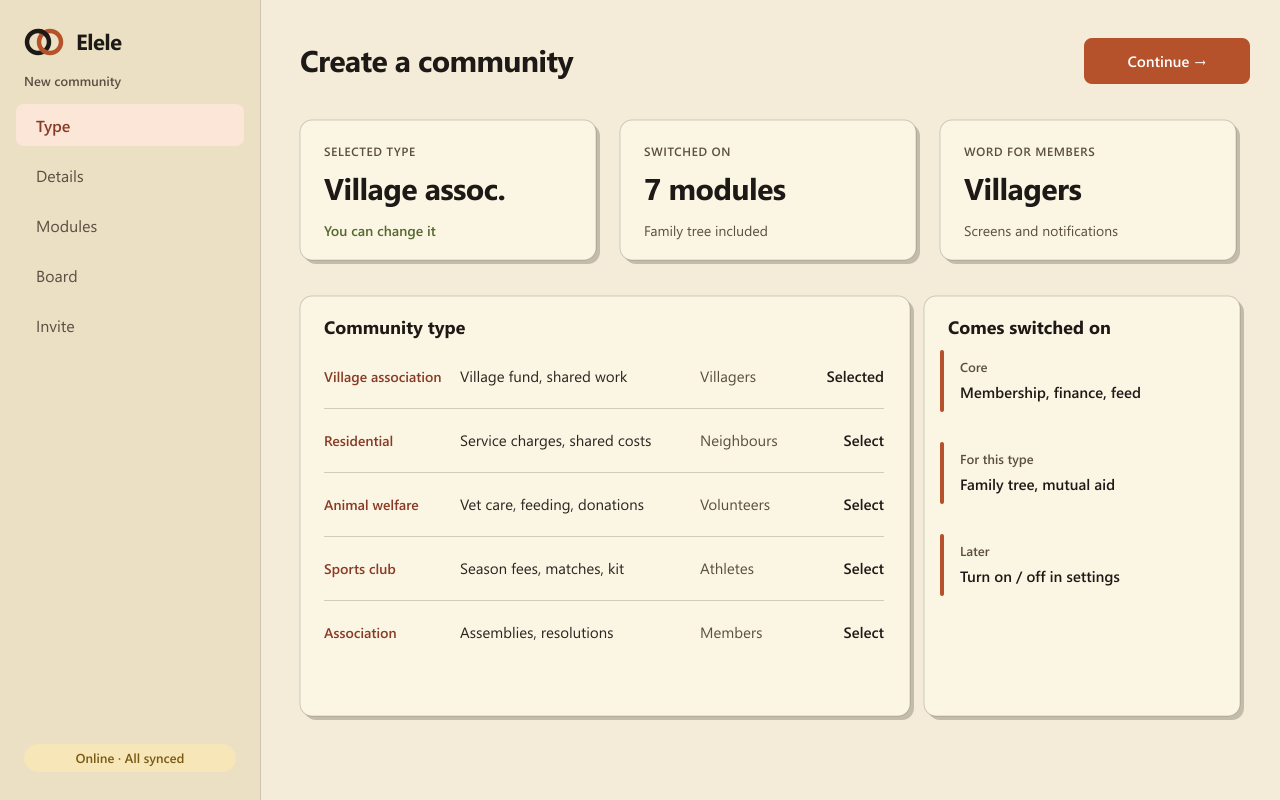
The same word is used on screens, in notifications and in reports.
Yes. Alumni associations, parent-teacher groups or hobby clubs start with “associations and foundations” or “volunteer groups” and turn on the modules they need.
Yes. Use the same account for your village association and your residents’ board, and switch between them in a tap.
Yes. The type only sets the starting point. Admins switch modules on or off later, and a switched-off module keeps its records.
The wizard prepares the right modules and wording; you can add your first member within minutes.