Income and expense summary
Income, expenses and the difference by item and period.
Income and expenses, balances, receivables and activity reports come straight from the records you enter. Print them for the general assembly or share them with members.
Reports are not hard. Building them from scattered records is.
Before the general assembly you gather receipts, bank slips and notes and build the report in a spreadsheet.
The records are already in the books; the period report is one tap away, printable and shareable as a PDF.
Where did the money we raised go? When I ask, I only get an answer at the next meeting.
You can see the summaries the board shares at any time: income, expenses, balances and the work done.
Income and expense summary, period comparison, cash and bank balance history, and receivables and payables — ready.
The trial balance and balance sheet come from the double-entry ledger, so your accountant or audit committee can review them directly.
Meetings held, resolutions passed, aid requests met and events run, together in the period report.
The board chooses which reports members can see; personal details are masked when shared.
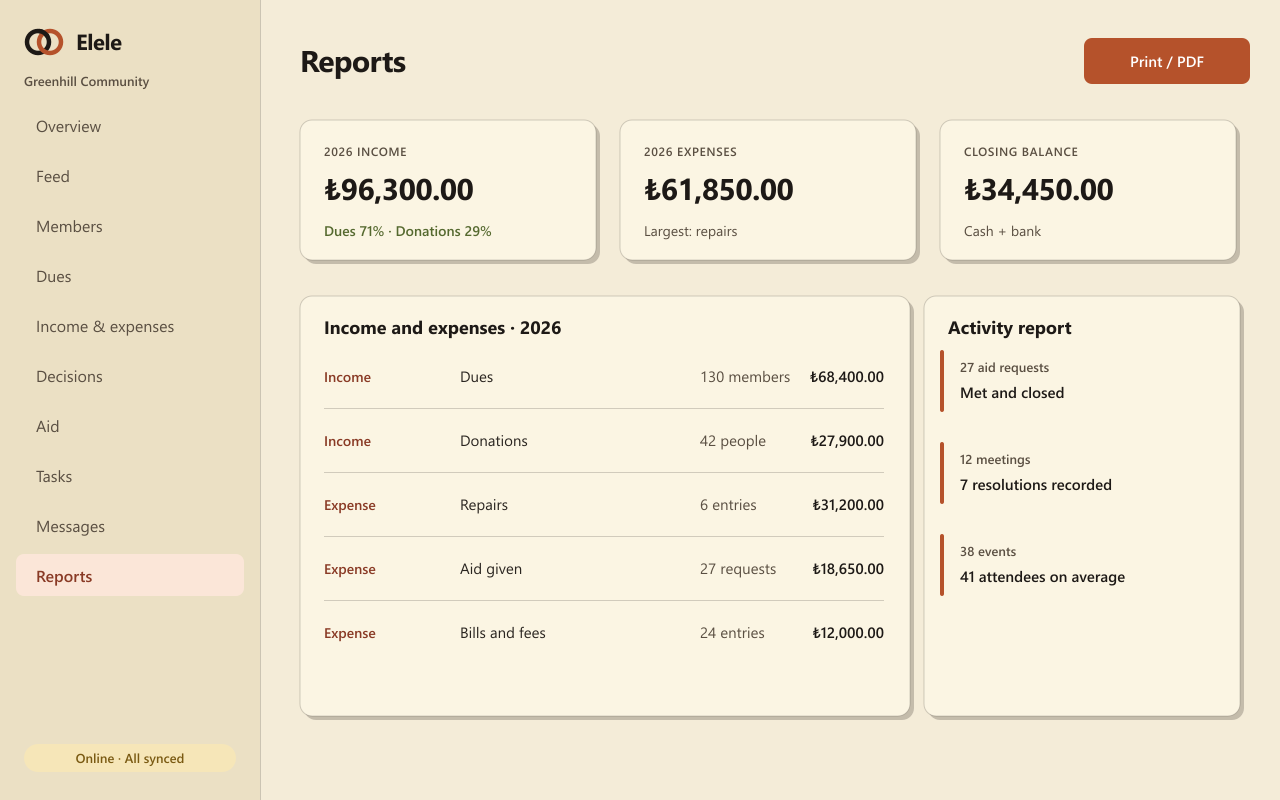
Income, expenses and the difference by item and period.
How cash and bank balances moved over time.
Who owes what, and what you owe, with due dates.
From the double-entry ledger, ready for your accountant.
Meetings, decisions, aid and events in one summary, with charts.
Printable output and PDF for the general assembly.
They all draw on the same member list and the same records, so what you enter once is ready everywhere.
Dues plans, collections, numbered receipts, cash and bank, and a double-entry ledger.
General assemblies, attendance lists, polls and a numbered resolution book.
Record the need, approve the budget, assign someone, share the outcome.
No. Reports are built from the records you enter. You just pick the period, then print or share.
The ones the board opens to them. Personal details such as member names are masked in shared reports.
No. They are an orderly summary of your records; for official filings, consult your accountant and the relevant regulations.
Set up your community and enter your records; the report for your general assembly will be ready.