Automatic sync
Waiting records go out on their own when you reconnect.
Records are kept on your phone and computer. Enter them without a connection; when you're back online, everything syncs on its own.
On the village square, at the cash desk in the basement or in a crowded hall, there is often no connection.
You collect dues at the village meeting with no internet, so you jot them on paper to "enter tonight".
Enter payments and attendance on the spot; they sync when the connection returns — no paper in between.
I opened the app and nothing loaded because the signal was weak.
The feed, your dues and decisions are already on your device, so they open instantly even on a weak connection.
Everything you enter is stored on your phone straight away; the screen never waits for a connection.
The moment you're online, waiting records go to the server and other people's changes come down to you. You don't have to do a thing.
Receipt and resolution numbers are issued on the server so the sequence never breaks: an offline payment is recorded, and the numbered receipt is created once it syncs.
Add it to your phone’s home screen or your computer — no app store needed, and updates arrive on their own.
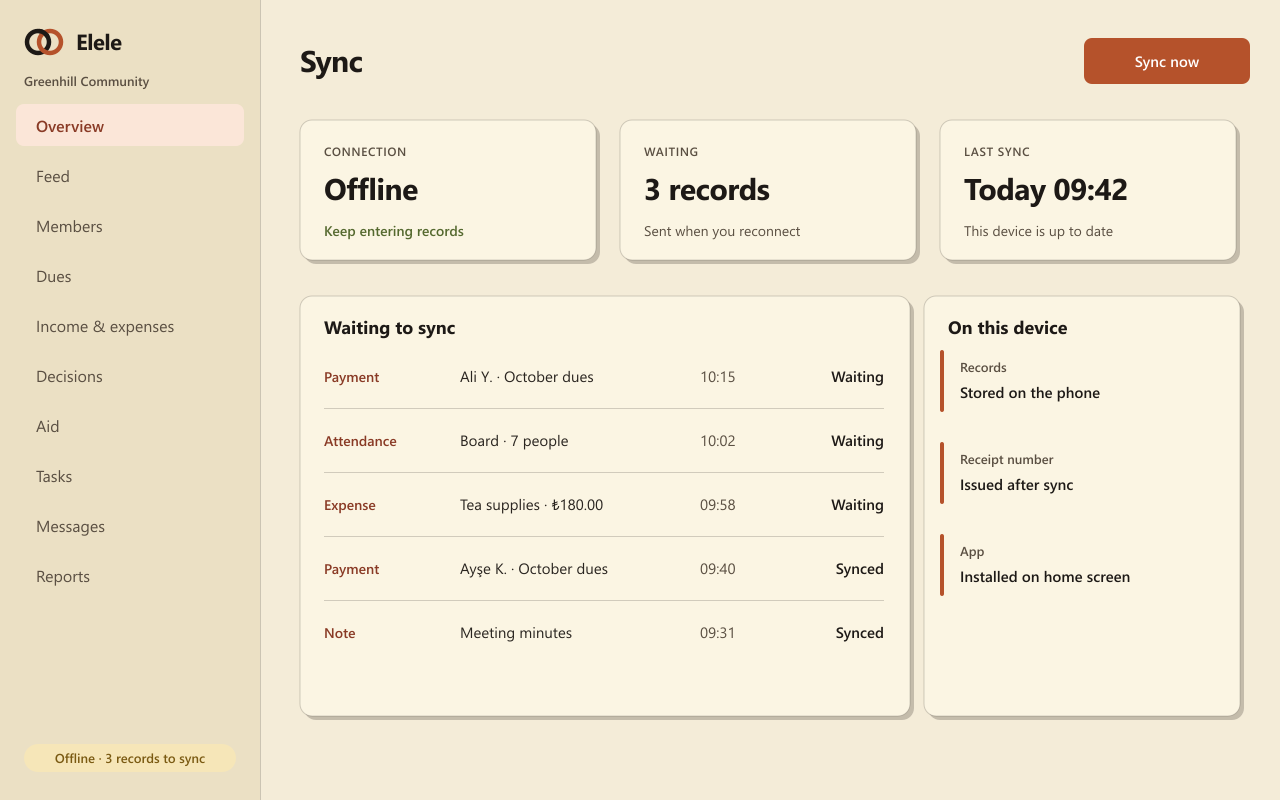
Waiting records go out on their own when you reconnect.
Records you can access live on your device and open instantly.
Always know how many records are waiting to sync.
Installs on phones and computers like an app, without a store.
Only records your role can see are downloaded to the device.
Receipt and resolution numbers come from the server, so they never clash.
They all draw on the same member list and the same records, so what you enter once is ready everywhere.
Dues plans, collections, numbered receipts, cash and bank, and a double-entry ledger.
General assemblies, attendance lists, polls and a numbered resolution book.
Applications, approvals, roles and the member register; you decide who sees what.
Direct messages, a notification centre, preferences and dues reminders.
Read the feed, your dues and decisions, and enter payments, expenses, attendance and notes. Numbered receipts and resolution numbers are issued when you reconnect.
Changes are applied in order on the server, and official numbers are only issued there, so they can't clash. If a change can't be accepted, the app tells you.
Your records are also kept on the server. Sign in on a new device and everything comes back; you can sign the old device out.
Set up your community and add the app to your phone; it works in the village and in the meeting hall.