Task list and board
Waiting, under way, done — as a list or a board.
Every task has an owner, a due date and a status. Projects are split into steps and move forward linked to decisions and aid requests.
Work rarely stalls through bad intent — it stalls because nobody's sure who took it on.
Five jobs get handed out at a meeting; a month later nobody knows which are done.
Each task is recorded with its owner and due date; the board shows what's done and what's waiting at a glance.
I'd like to help, but I never know where or when I'm needed.
You see open tasks and can take one on or join in; jobs assigned to you sit in front of you with their dates.
A short title, an owner and a due date are enough. Add notes, photos and documents; change the status with a tap.
Fountain repair, a charity fair, painting the school: projects are split into steps and progress shows as a percentage.
A resolution from the book or an aid request becomes a task, so the reason for the work is always clear.
Tasks nearing or past their due date notify their owner — no one has to chase anybody.
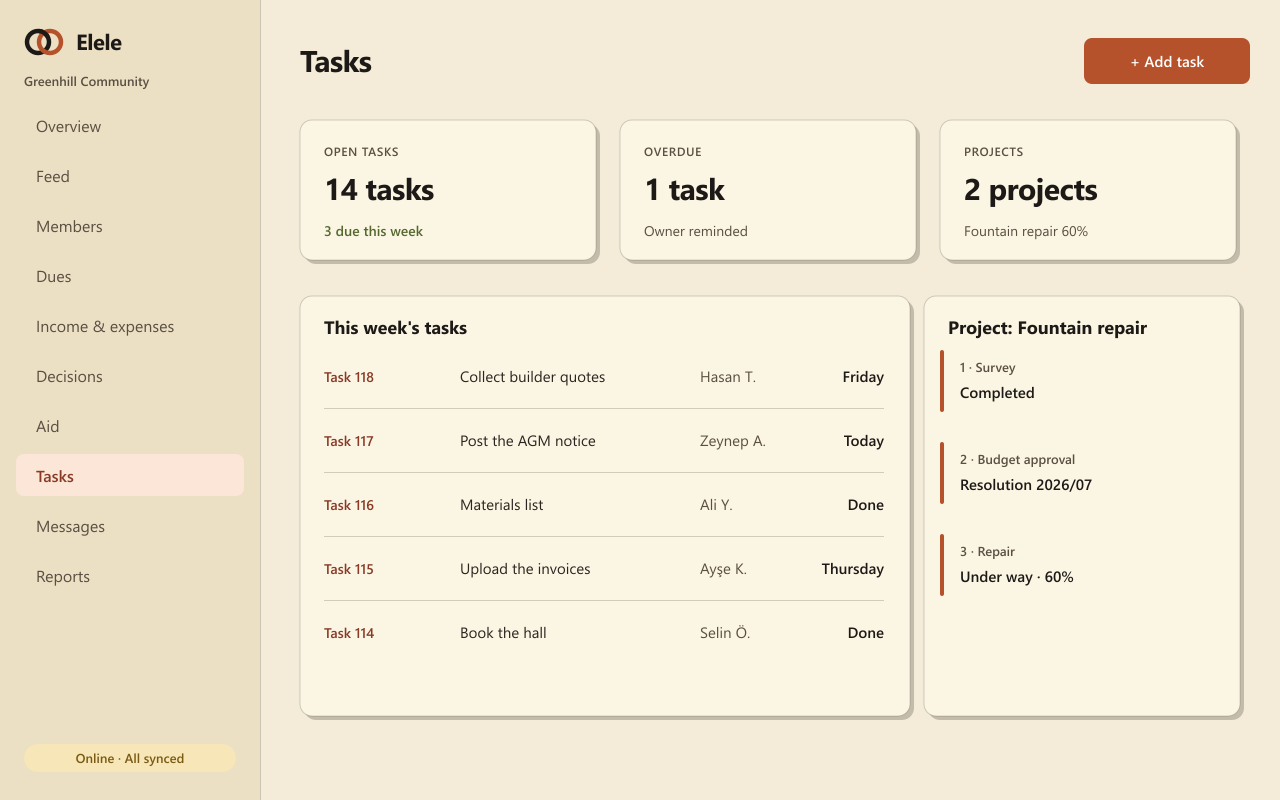
Waiting, under way, done — as a list or a board.
Assign to a person or a team; volunteers take on open jobs.
Owners are notified about upcoming and overdue tasks.
Group tasks under one roof and follow progress as a percentage.
Each task shows the resolution or aid request behind it.
Quotes, invoices and photos stay attached to the task.
They all draw on the same member list and the same records, so what you enter once is ready everywhere.
Record the need, approve the budget, assign someone, share the outcome.
General assemblies, attendance lists, polls and a numbered resolution book.
Direct messages, a notification centre, preferences and dues reminders.
The board and any roles you authorise. Members see the tasks assigned to them, update their status and can take on open tasks.
A task is a single job. A project groups tasks that serve one goal — in a "fountain repair" project, the survey, budget approval and repair are separate tasks.
Yes. Change the status or add a note offline; it syncs to everyone when you reconnect.
Set up your community and open your first project, with an owner and a date for every task.