Announcements
Pinned notices — and you can see who's seen them.
Announcements, posts, events and polls live in your community's own feed. You can see who's seen them, and important news never sinks under hundreds of messages.
Chat groups are great for chatting — not for official notices, events and votes.
An important notice gets lost among the day's messages, and you have no idea who read it.
The notice stays pinned at the top of the feed; you can see how many people have seen it and who hasn't yet.
When was the clean-up day, and where were we meeting? I keep scrolling up to find the message.
The event sits in the feed with date, place and attendance list, and a reminder arrives as it gets close.
Board announcements, member posts, photos and comments in one feed. Important notices are pinned to the top.
Enter a date, place and description; members say they are going and the attendance list builds itself.
Open a poll or ask for volunteers straight from the feed; answers and sign-ups appear under the post.
Share a public post with someone outside the community by link; they can read it without being a member.
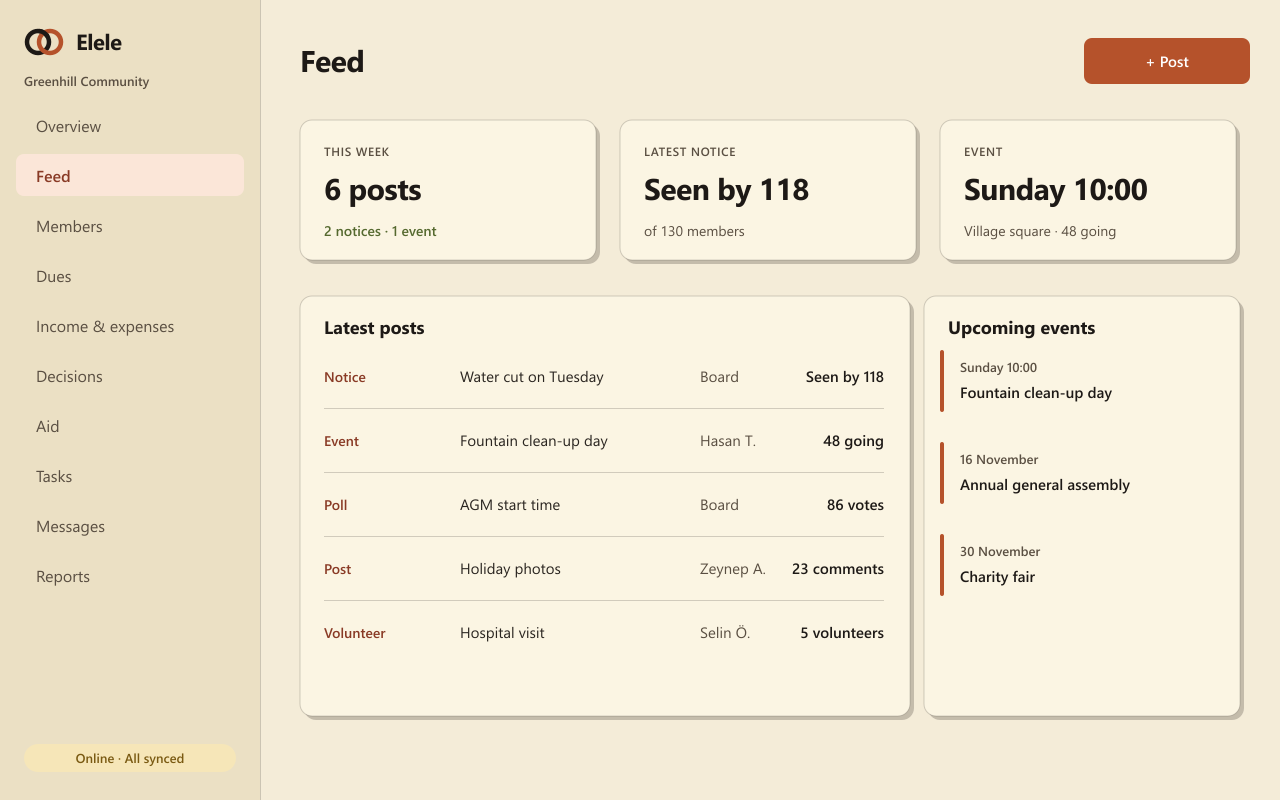
Pinned notices — and you can see who's seen them.
Photo posts, likes, comments and bookmarks.
Date, place, attendance list and reminders.
Quick questions from the feed, results under the post.
Ask for help with a job and see who signed up.
Send a public post to anyone with a link.
They all draw on the same member list and the same records, so what you enter once is ready everywhere.
Direct messages, a notification centre, preferences and dues reminders.
General assemblies, attendance lists, polls and a numbered resolution book.
Record the need, approve the budget, assign someone, share the outcome.
No. Keep your group for chatting; announcements, events and votes live in the feed so they don’t get lost.
Your community's members see the feed. If you make a post public, anyone with the link can read it.
The board can remove the post, and members can block someone so they no longer see their posts.
Set up your community, post your first announcement, and see who's seen it.