Applications and approval
Applications with notes, approvals or refusals with reasons, and the right to re-apply.
Take applications, approve them and hand out roles. Who belongs and who can see what — in one place, always up to date.
Dues, votes and announcements all depend on knowing who your members are.
Who's a member, who left, what's their number? Three files, none of them current.
Applications, approvals and departures live in one record, so the member register stays current on its own.
I applied weeks ago and heard nothing. Am I a member or not?
You see the status of your application in the app and get notified of the decision, with its note.
Applicants add a short note; the board approves or declines with a reason. Declined applicants can apply again later.
Chair, treasurer, secretary or member: each role has clear limits on what it can see and change. Only authorised people edit the books.
Every approved member goes into the member register with their joining date. Assemblies and dues draw on this list.
One account works for the village association and the residents’ board alike; switch between them in a tap.
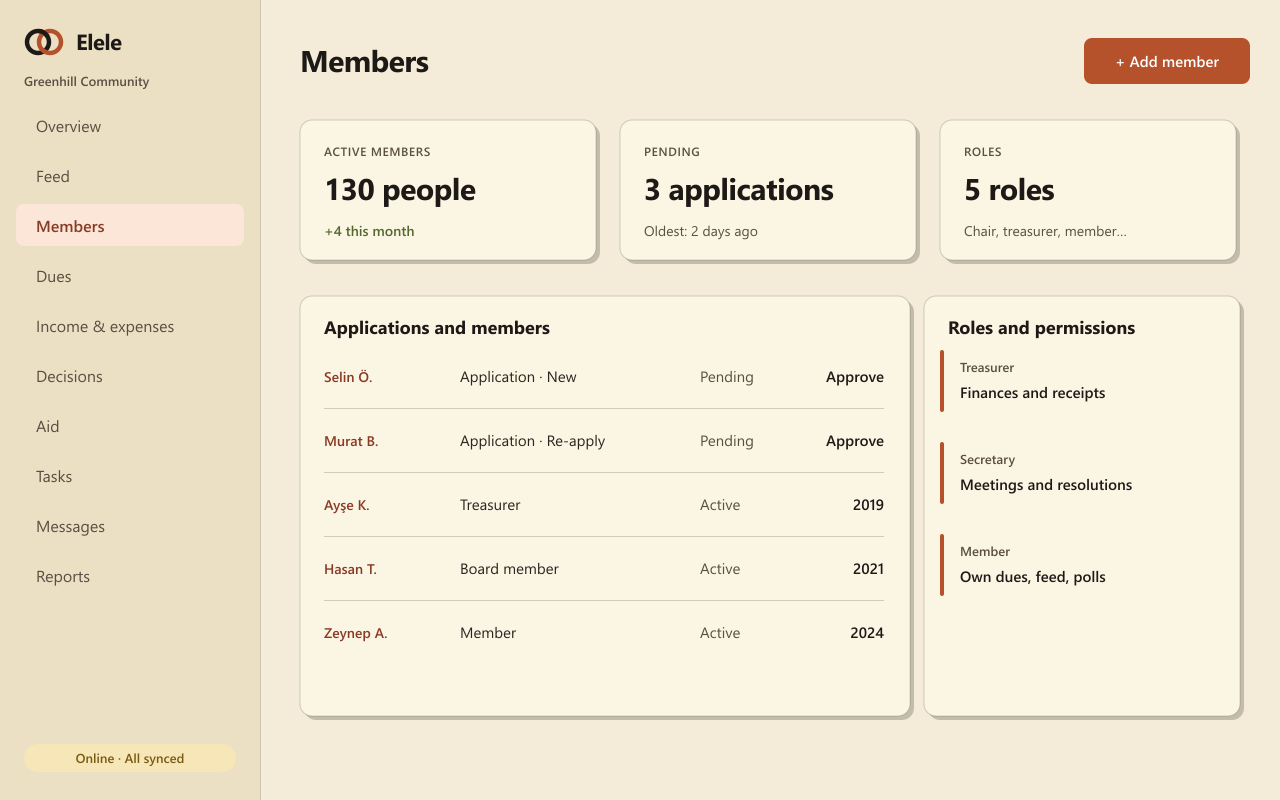
Applications with notes, approvals or refusals with reasons, and the right to re-apply.
Ready-made roles with fine-grained permissions; everyone sees only what they need.
A member list with joining dates and status, suited to the official register.
People who find your public community can apply from inside the app.
Members can appear as neighbours, athletes or volunteers, depending on your community.
Privacy notices, consent, data export and account deletion are built in.
They all draw on the same member list and the same records, so what you enter once is ready everywhere.
Dues plans, collections, numbered receipts, cash and bank, and a double-entry ledger.
General assemblies, attendance lists, polls and a numbered resolution book.
Direct messages, a notification centre, preferences and dues reminders.
No. Members apply and you approve them. As an admin you can still add someone yourself.
Yes. Start with the ready-made roles, then adjust permissions to how your community works.
The membership is closed. Legal records such as receipts and resolutions are kept under retention rules; other personal data can be deleted.
Set up your community and approve the first applications; the register builds itself.